Assign learning tasks and see them get done
Assign tests, simulations, AI conversations and courses to people or teams, set deadlines and track completion in one place.
250+ process templates · 420+ scripts · AI Trainer included
Development that happens, not just gets planned
Without PipeChamp
- Training assigned in emails and forgotten
- No deadlines, no follow-up
- Managers chase people manually
- No overview of who did what
With PipeChamp
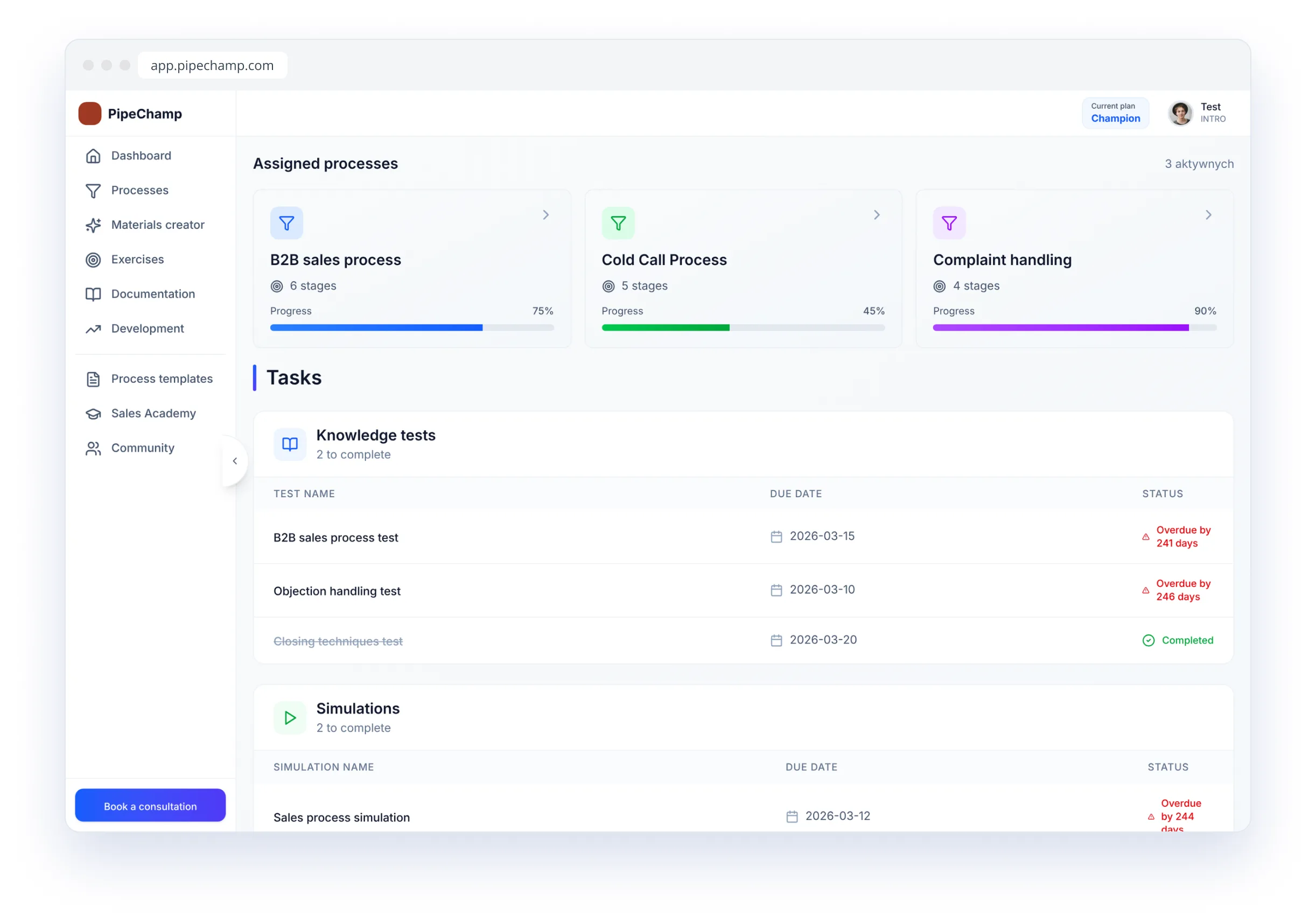
- Tasks assigned in the platform
- A deadline for every task
- Completion visible at a glance
- One list for every salesperson
Tasks that turn plans into skills
Assigned · Scheduled · Tracked
Assign any exercise
Tests, simulations, objection exercises, AI conversations and courses — assign them to a person or the whole team.
Deadlines and progress
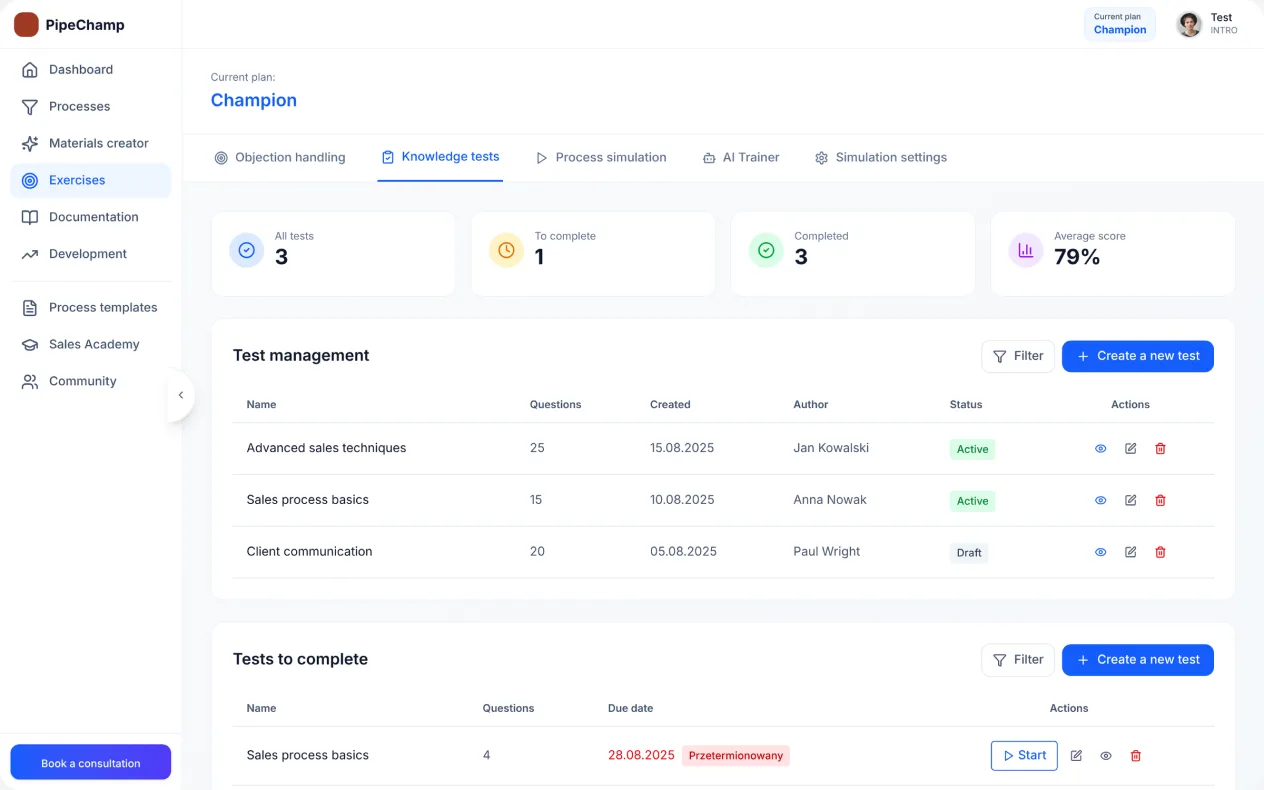
Set a due date and see who has completed the task, who is in progress and who hasn’t started.
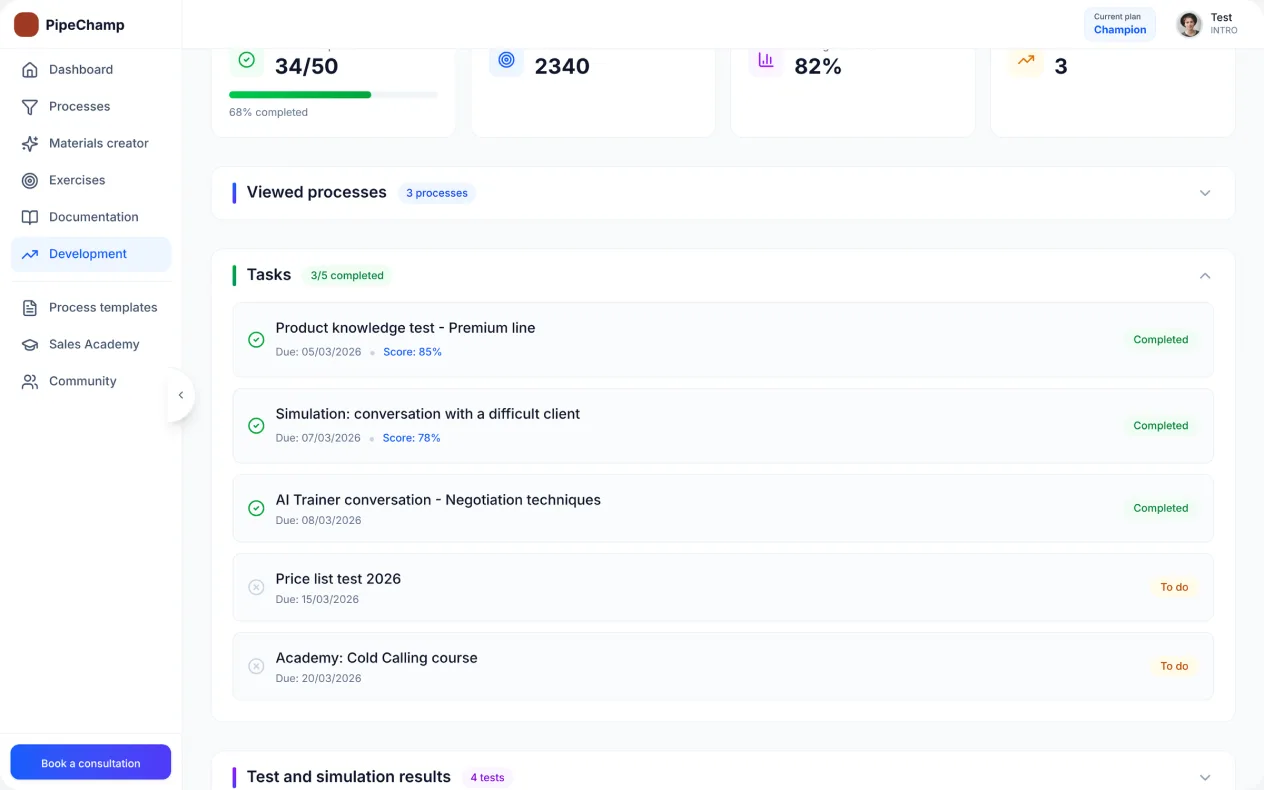
Results go straight to the profile
Completed tasks update the employee profile automatically.
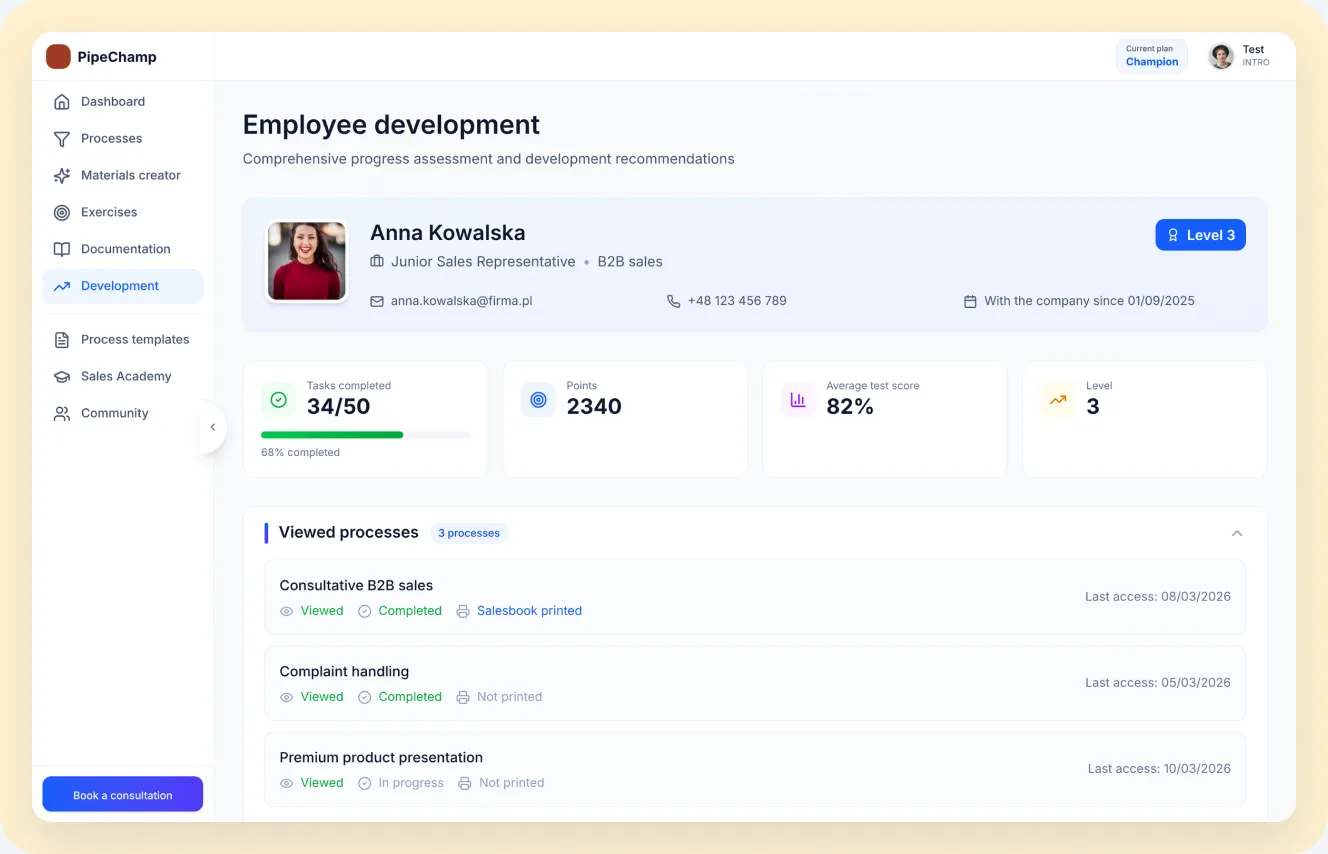
Plan development in minutes, not meetings
Assign the first task to your team today.
AI that turns your process into skills
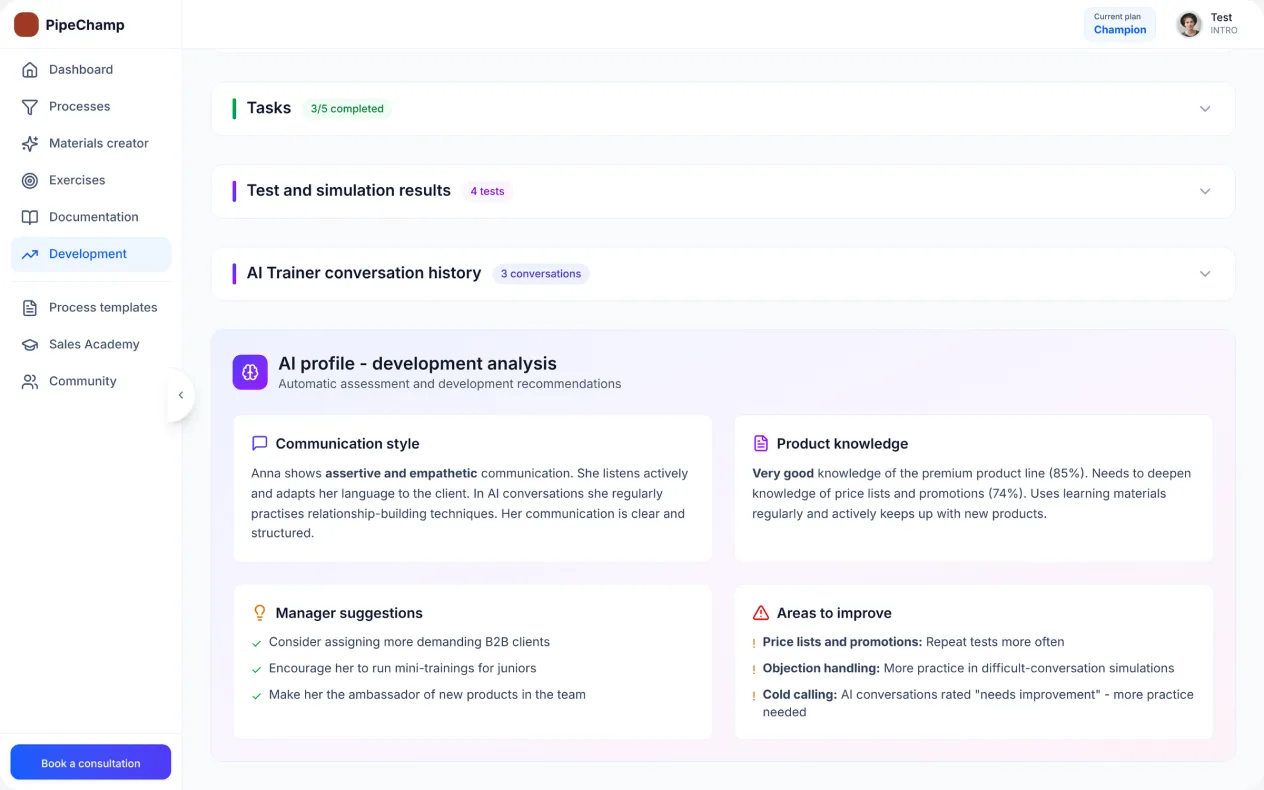
 AI Trainer
Suggested tasks
The AI Trainer suggests tasks based on each person’s results.
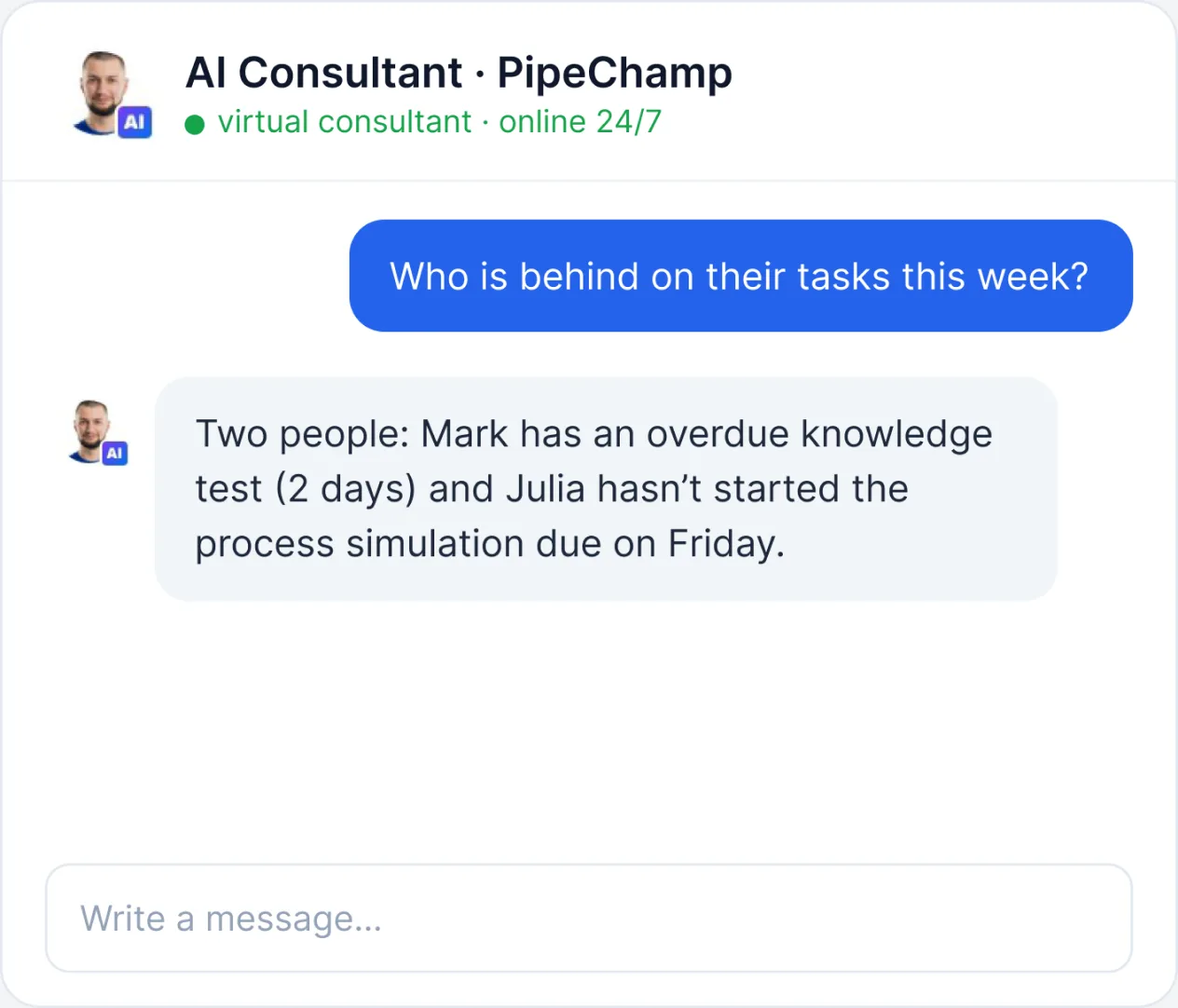
 AI Consultant
Team status on demand
Ask who is behind on their tasks and get an answer instantly.
Plus, everything your team needs
Assignments
To people or teams.
Deadlines
Due dates for every task.
Status
Not started, in progress, done.
Dashboard
Tasks visible after login.
All exercise types
Tests, simulations, conversations, courses.
History
Every task and its result.
Tasks is just the beginning
PipeChamp brings your sales process, training and team development together in one platform.
Frequently asked questions about Tasks
What can I assign?
Tests, process simulations, objection exercises, AI trainer conversations and courses.
Can I assign to a whole team?
Yes. Assign to individuals, teams or the whole company.
Can I set deadlines?
Yes. Every task can have a due date.
Where do salespeople see tasks?
On their dashboard in PipeChamp.
Where are the results?
In the employee profile and team statistics.
Assign learning tasks and see them get done
Start from a ready template or from your own process. You can run the first team training today.